True Multi-Image Upload + Download All ZIP
Drag 5, 20, or 50 photos straight onto the canvas. Every file gets its own cleanly named depth PNG inside a standard ZIP archive you can unzip anywhere.
 DepthAnything.app
Generate depth maps for multiple photos at once privately in your browser. Select a folder of JPG, PNG, or WebP images and download all 8-bit or true 16-bit PNG depth maps in a single ZIP archive.
Drop multiple photos to batch-generate depth maps (.ZIP)
Runs Depth Anything V2 privately in your browser — supports JPG, PNG, WebP & AVIF. Export 8-bit or true 16-bit PNG at original resolution (up to 4K), or select multiple files for a ZIP archive.
Or try an instant built-in sample
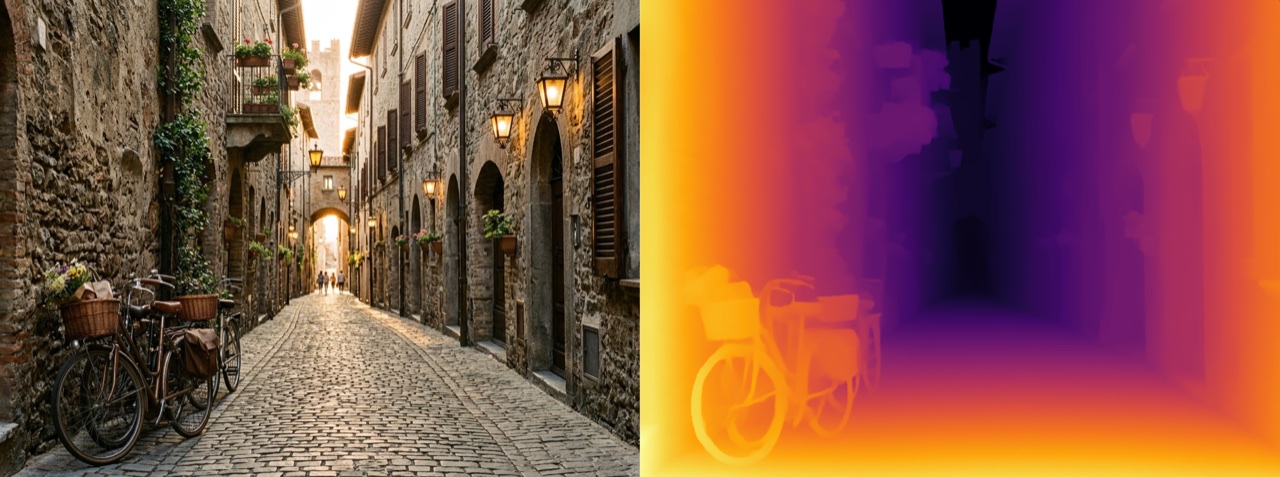 OriginalBatch Queue · ZIP Archive
Instead of uploading photos one by one to slow cloud queues or running Python CLI scripts, drop an entire product shoot, dataset, or storyboard directly into your browser and pack every depth map into a single ZIP.
Drag 5, 20, or 50 photos straight onto the canvas. Every file gets its own cleanly named depth PNG inside a standard ZIP archive you can unzip anywhere.
Raw Float32 depth predictions stay cached for every image in the queue—tweak Contrast, Far Clip, Smoothing, or switch from 8-bit to 16-bit PNG and re-export the ZIP instantly.
Ideal for e-commerce catalogs, real-estate shoots, VFX plates, photogrammetry datasets, and client portraits that cannot be uploaded to third-party servers.
| Scenario / Setting | Recommended Value | Why It Works |
|---|---|---|
| Fast Bulk Dataset / Storyboard (20+ Photos) | Fast (V2 Small) · Grayscale · Standard (≤1280px) · 8-bit ZIP | Processes ~1–3 images per second on desktop WebGPU while keeping ZIP size compact. |
| High-Res Product / Portrait Shoot | High Detail (V2 Base) · Original (up to 4K) · 8-bit or 16-bit ZIP | Preserves fine hair, glass edges, and exact source resolution across every photo in the shoot. |
| Bulk Laser / CNC Medallion Library | High Detail (V2 Base) · Smoothing 2–3 px · Far Clip 5–10% · 16-bit ZIP | Applies uniform relief smoothing and clean black backgrounds to every heightmap in one export. |
| Batch ControlNet Conditioning Pack | Fast (V2 Small) · Grayscale · Smoothing 0 px · White = Near · 8-bit ZIP | Outputs crisp, ready-to-load PNGs for ComfyUI batch loaders with Preprocessor set to None. |
Unzip the downloaded archive to get matching `<filename>-depth-*.png` files ready for bulk pipelines:
Pick as many JPG, PNG, WebP, or AVIF images as you need—they stay strictly on your device.
Watch each photo finish locally in the Batch Queue, click any thumbnail to preview, and dial shared tone or smoothing settings.
Grab one clean ZIP file containing all generated depth maps with zero watermarks and zero upload wait.
Fix: Process in groups of 15–30 images at a time (or switch to Standard ≤1280px) so your browser tab stays fast and responsive.
Fix: Click that thumbnail in the Batch Queue, tune its sliders, and click the single Download Depth Map button for that specific file.
Fix: Click + Batch or Add More inside the Batch Queue panel to append new images directly to the existing session.
Depth Anything V2 vs V3 vs Video Depth Anything vs Marigold
Compare browser-local Depth Anything V2 batch processing against Hugging Face Spaces and cloud GPU pipelines.
Depth Anything Online
All-purpose photo to depth map generator (8-bit & 16-bit PNG)
16-bit PNG & 4K Depth
True uint16 Grayscale PNG · Up to 4K Original Resolution
Video Depth & PNG Seq
MP4 to Depth Video · PNG Sequence ZIP · Live Preview Before Download
Photo to 3D Video
Single Photo OR Custom Depth Map → 3D Motion Video · Desktop & Mobile
Laser Engraving Depth Map
LightBurn 3D Sliced · Fiber, MOPA & CO2 Lasers
CNC 16-bit Heightmap
True 16-bit Grayscale PNG · 65,536 Z-Axis Levels
ControlNet Depth Map
Stable Diffusion · SDXL · Flux Depth · ComfyUI
There is no artificial daily cap or credit limit. Practically, batches of 10–40 images work smoothly inside desktop Chrome/Edge tabs depending on device RAM; for hundreds of images, run in comfortable chunks of 25–40 per ZIP.
Yes. Once your batch finishes, you can download both an 8-bit PNG ZIP and a True 16-bit Grayscale PNG ZIP without re-running the AI model.
Yes. Each file is saved as `<original-name>-depth-grayscale.png` (or `<original-name>-depth-16bit.png`), and duplicate filenames are automatically numbered safely.
Never. Every image is decoded, inferred via Depth Anything V2, and packed into the ZIP archive strictly inside your own browser.
Yes. Open our Video to Depth Map tool (/video-to-depth-map) to process an MP4/WebM/MOV clip and export every frame as an 8-bit or 16-bit PNG Sequence ZIP.
No. Batch processing and ZIP downloads are completely free with zero watermarks and no sign-up required.